
BashSecureMALWARE PROTECTION FOR HOSTING SERVERS
A Linux malware scanner that stops the attack while it is still running.
Find malware, backdoors and Web shells across every hosted account. Then go beyond scheduled scanning with Live Defense, which can stop malicious PHP execution before it changes files, launches a command or spreads through the server.
✓ Plain Linux and hosting panels
✓ Detection first by default
✓ Reversible quarantine
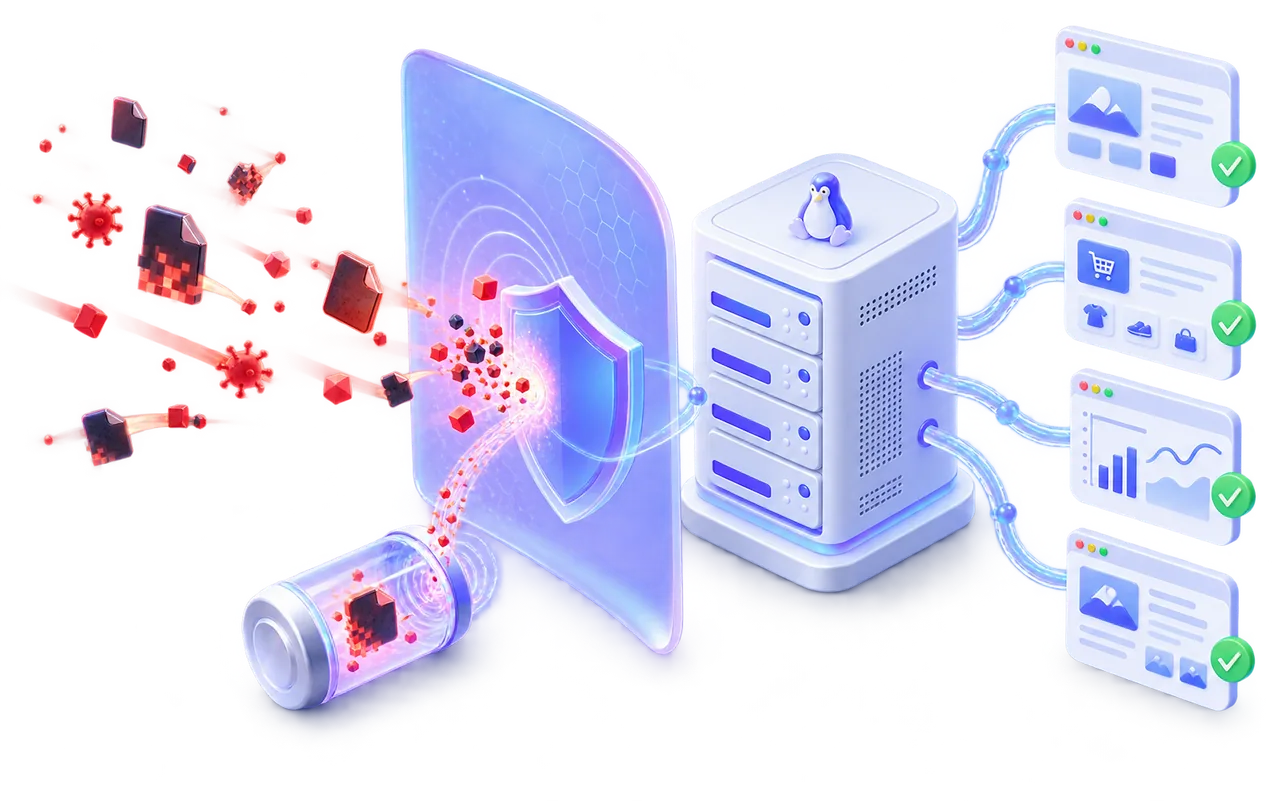
Protection before cleanup
A scan can find yesterday's compromise. BashSecure also watches what happens now.
A traditional website malware scanner examines files after they have reached the server. That work still matters, but it starts after the attacker has already written a backdoor, changed a core file or created a second route back into the account.
BashSecure combines accurate file scanning with real-time filesystem monitoring and runtime protection. It helps operators find what is already present, catch new files as they appear and see when a hostile request attempts to execute dangerous PHP behavior.
The safe starting point is visibility. Scanning reports findings and Live Defense begins in Log mode, so your team can understand real server activity before choosing where active blocking makes sense.
Live Defense
Stop malicious execution before it becomes another cleanup job.
Live Defense watches PHP while it runs. When a compromised request attempts a harmful action, BashSecure can record the event or abort that request immediately, depending on the mode selected by the operator.
HOSTILE REQUESTInjected code or shell command
→
BASHSECUREInspect · attribute · stop Dangerous execution ends here
→
HOSTING SERVERPHP workers and websites remain available
Ready, but inactive
Keep Live Defense available without observing or changing runtime behavior.
Observe before enforcing
Record what would be stopped and review the exact request, script and account.
Abort the hostile request
Stop selected dangerous behavior at runtime when your policy is ready.
Website malware scanner
Inspect file contents, not the story told by the filename.
Attackers do not always leave a conveniently named PHP shell. A malicious payload may be buried inside an ordinary application file or saved with an image extension to avoid a casual review. As an on-server Web malware scanner, BashSecure examines content across PHP, JavaScript, HTML and other Web files so a fake .jpg or .png extension does not make executable malware invisible.
Fast incremental scans
Recheck files that changed since the last completed scan instead of repeatedly reading an unchanged server.
Scheduled full sweeps
Run a complete server review on a controlled schedule for broader assurance and a fresh baseline.
Clear scan state
If a scan is interrupted or incomplete, the dashboard says so. It never turns partial evidence into a false all clear.
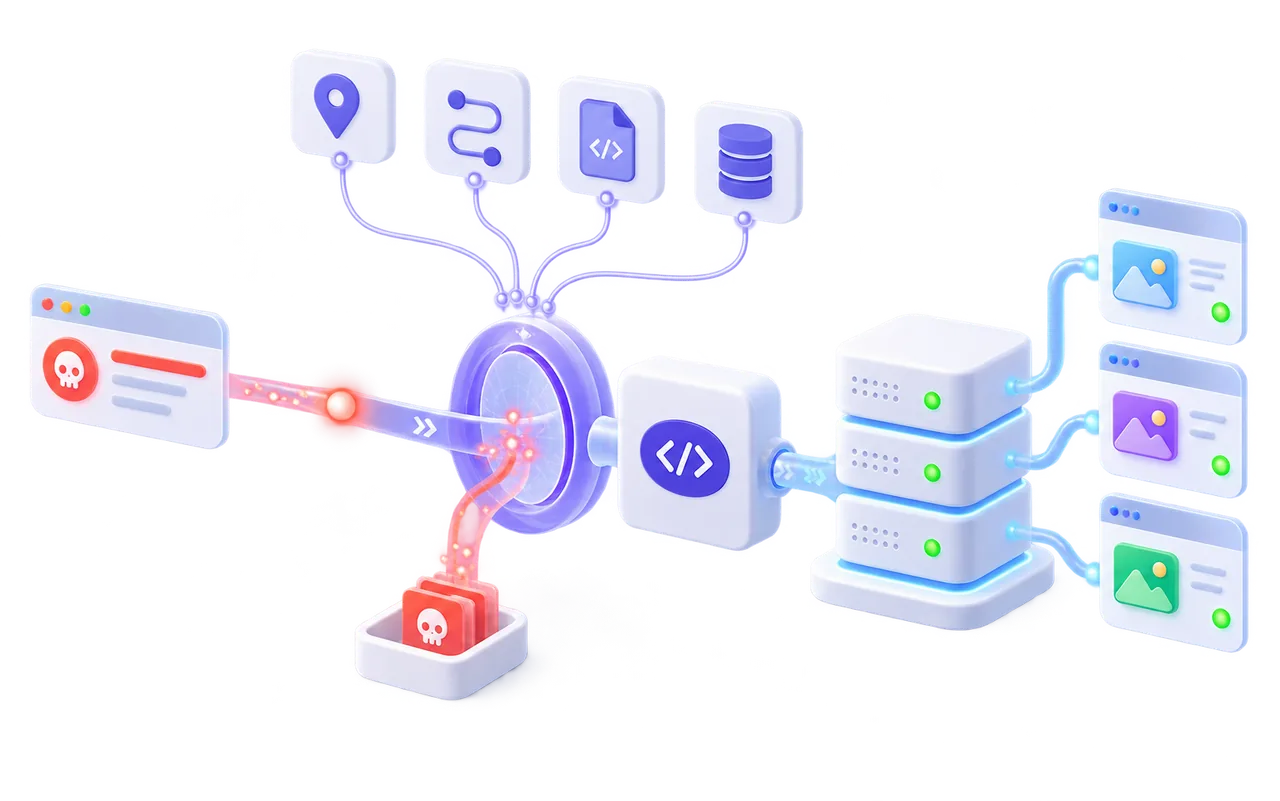
Attack attribution
Know how the file arrived, not only where it was found.
A useful alert should narrow the investigation. BashSecure connects live detections to the request and hosting context that produced them, helping the operator move from a suspicious file to the vulnerable route that needs attention.
LIVE DEFENSE EVENTCommand execution prevented
StoppedRequest receivedBehavior inspectedExecution stoppedAccount scan queued
Detection, defense and recovery
One security workflow from the first finding to the final review.
BashSecure separates evidence from action. Operators can observe, confirm and then enable the response that fits a server, reseller or individual account.
Real-time file protection
Watch the filesystem for new or changed malicious files and report them within seconds instead of waiting for the next full scan.
Reversible quarantine
Move a confirmed threat out of reach without deleting it. Restore the original file with its ownership and permissions when required.
Automatic follow-up
Optionally challenge or block the source through the companion firewall, scan the affected account and flag it for patch review.
False-positive control
Mark a file or checksum as trusted for one account or across the fleet, keeping repeated known-safe alerts out of the queue.
Per-account policy
Choose detection and response settings for a specific hosting account without forcing the same enforcement level on every customer.
Searchable history
Review detections, decisions, scan status and operator actions in a timeline that explains what was observed in plain English.
Vulnerability Patching
✓
✓
✓
✓
Patch the weakness before it becomes the next malware entry point.
Removing a backdoor does not repair the vulnerable plugin that allowed it to be uploaded. BashSecure identifies installed WordPress plugins with known issues, shows which account is affected and offers the correct official release when a supported patch is available.
Vulnerability Patching is kept separate from malware findings. An outdated plugin is a risk that needs attention, but it is not automatically an infection. That distinction keeps the security queue honest and gives operators a clear route from exposure to a verified fix.
Save the current copy first.Every selected plugin is backed up before a file is replaced.
Use the official release.The update is downloaded from the recognized source and checked against published checksums.
Keep rollback available.Put back an individual plugin if the update changes site behavior.
Refuse unsafe guesses.Customized or unsupported software is reported for review instead of being overwritten.
VULNERABILITY PATCHINGOfficial updates with rollback
Review readygallery-blocksplugin · installed 2.4.1
shop.exampleFictional account
Patch to 2.4.3Backup ready
forms-toolkitplugin · installed 5.8.0
studio.exampleFictional account
Patch to 5.8.2Backup ready
Verify exposureSave current copyInstall official releaseKeep rollback
Interface preview. Software names and domains are fictional examples.
CMS integrity and exposure
Separate an infection from the weakness that let it in.
Cleaning one malicious file does not close the vulnerable plugin or altered core file behind the compromise. BashSecure gives those problems their own context so a security team can repair the cause without confusing every modification with malware.
Core file integrity
Compare WordPress, Joomla and Drupal core files with the official release. Modified files are reported separately because customization and version skew are not automatically infections.
Optional official restoreVulnerable WordPress plugins
Identify installed plugins with published vulnerabilities and distinguish affected, not affected, unknown and uncovered versions instead of implying certainty where none exists.
Clear exposure stateVerified plugin updates
Back up before a change, download from the official source, verify checksums and keep rollback available. Customized or unverified plugins are left alone rather than guessed at.
Backup before changeHosting panels and core Linux servers
Protect the server you operate, with or without a control panel.
BashSecure uses the same detection and response model across hosting environments while fitting the account structure and operational workflow of each platform.
LINUXPLAIN OR UNMANAGED
Core Linux servers
Run BashSecure directly on a Linux Web server without installing a hosting panel. Scan sites, observe PHP runtime activity and manage findings from one server view.
- Apache or nginx workloads
- Multiple application roots
- Server-level policy
cPCPANEL & WHM
cPanel servers
Give the administrator a server-wide security view while keeping every hosting account and domain clearly separated.
- WHM administration
- Account-aware scans
- Shared hosting control
PLPLESK OBSIDIAN
Plesk servers
Follow Plesk subscriptions, domains and application roots without flattening the server into an unhelpful list of paths.
- Subscription context
- Domain-level findings
- Linux platform support
DADIRECTADMIN
DirectAdmin servers
Protect user accounts and hosted domains with a lightweight agent designed for the resource profile of shared hosting.
- User-aware visibility
- Per-account policy
- Fleet overview
UBUBUNTU SERVER
Ubuntu servers
Scan custom Web roots, observe dangerous PHP behavior and review CMS exposure without requiring a hosting control panel.
- nginx and Apache
- Custom application roots
- CMS vulnerability checks
Dedicated cPanel, Plesk, DirectAdmin and Ubuntu malware protection pages are available now.
Shared hosting performance
Security work should not become the server's next noisy neighbour.
Full Web roots can contain millions of files, and a hosting server may already be balancing customer traffic, backups, mail and database work. BashSecure is designed to throttle under load, use idle I/O priority and let the operator control when deeper sweeps run.
Incremental scanning reduces repeated work by focusing on changed files. Per-account visibility also lets a team investigate the affected customer without turning every event into a server-wide emergency.
SCAN PROFILEShared hostingActive
A controlled rollout
Start with evidence. Add enforcement after review.
The product is designed to enter production without immediately changing customer files or terminating requests.
Install
Add the BashSecure agent to a plain Linux, cPanel, Plesk or DirectAdmin server.
Establish a baseline
Run the first malware scan and review incomplete, clean and affected accounts separately.
Observe live behavior
Use Log mode to see what Live Defense detects before any runtime request is stopped.
Enable chosen responses
Turn on Kill, quarantine or integrated source blocking only where the evidence supports it.
BashSecure plans
Licensing for one server or a hosting fleet.
Every plan runs the same malware scanning and Live Defense runtime protection. Pick a plan by how many hosting accounts you need to cover.
Basic
Up to 10 hosting accounts
$12per month
Get BashSecure
- Malware scanning across every hosted account
- Live Defense runtime protection (Off, Log or Kill)
- Reversible quarantine
- Attack source, request and script attribution
- Up to 10 hosting accounts
- Unlimited domains
Most popular
Premium
Unlimited hosting accounts
$23per month
Get BashSecure
- Everything in Basic
- Vulnerability Patching for WordPress plugins
- Core file integrity monitoring
- Unlimited hosting accounts
- Unlimited domains
Price per server, per month, excluding VAT. Cancel anytime. Talk to us.
BashSecure questions
What to know before protecting a production server.
What is BashSecure?
BashSecure is a Linux malware scanner and active defense product for Web hosting servers. It scans hosted files, watches filesystem changes, observes PHP at runtime, attributes attacks and provides controlled quarantine and response workflows.
Does BashSecure work without cPanel, Plesk or DirectAdmin?
Yes. BashSecure works on plain or unmanaged Linux Web servers as well as cPanel and WHM, Plesk and DirectAdmin systems. A control panel is not required for the core scanning and Live Defense capabilities.
How is this different from a normal website malware scanner?
A normal scan looks for malicious files already stored on disk. BashSecure also provides real-time filesystem monitoring and Live Defense, which can observe or stop dangerous PHP behavior while a hostile request is executing.
Will BashSecure delete infected files automatically?
No. BashSecure does not silently delete customer files. Detection is the safe default. Confirmed threats can be moved into reversible quarantine, preserving the information needed to restore ownership, permissions and the original path.
What are Off, Log and Kill modes?
They control Live Defense. Off leaves runtime protection inactive. Log observes and reports matching behavior without stopping the request. Kill actively aborts the selected hostile behavior. Operators decide when and where enforcement is appropriate.
Can BashSecure explain where an attack came from?
Live detections can be connected to the source address, requested URL, executing script and hosting account. This context helps the operator investigate the entry point instead of treating the resulting file as an isolated event.
Can it find malware hidden behind an image extension?
Yes. BashSecure examines file content rather than trusting the extension alone, so executable or suspicious content does not become invisible merely because a file is named with an image or other harmless-looking suffix.
Does BashSecure repair WordPress sites?
It can report modified WordPress core files, identify plugins with known published vulnerabilities and support controlled official restores or verified updates. These actions are separate from malware detection and remain optional, with backup and rollback where changes are made.
What happens when a scan does not finish?
The result remains incomplete. BashSecure does not label an account clean when every intended file was not checked. The operator can review the reason and resume or schedule another scan.
Is BashSecure suitable for shared hosting?
Yes. It is designed for servers with many hosting accounts. Incremental checks reduce repeated work, scanning can use idle I/O priority, and the agent can throttle under load so security activity does not compete unnecessarily with customer traffic.
BASHSECURE
Find the compromise. Stop the live attack. Keep every action under your control.
Protect a plain Linux server or an entire hosting fleet with scanning, runtime defense, attack attribution and reversible recovery.