
BashSecureFOR CPANEL & WHM SERVERS
cPanel malware protection for every account.
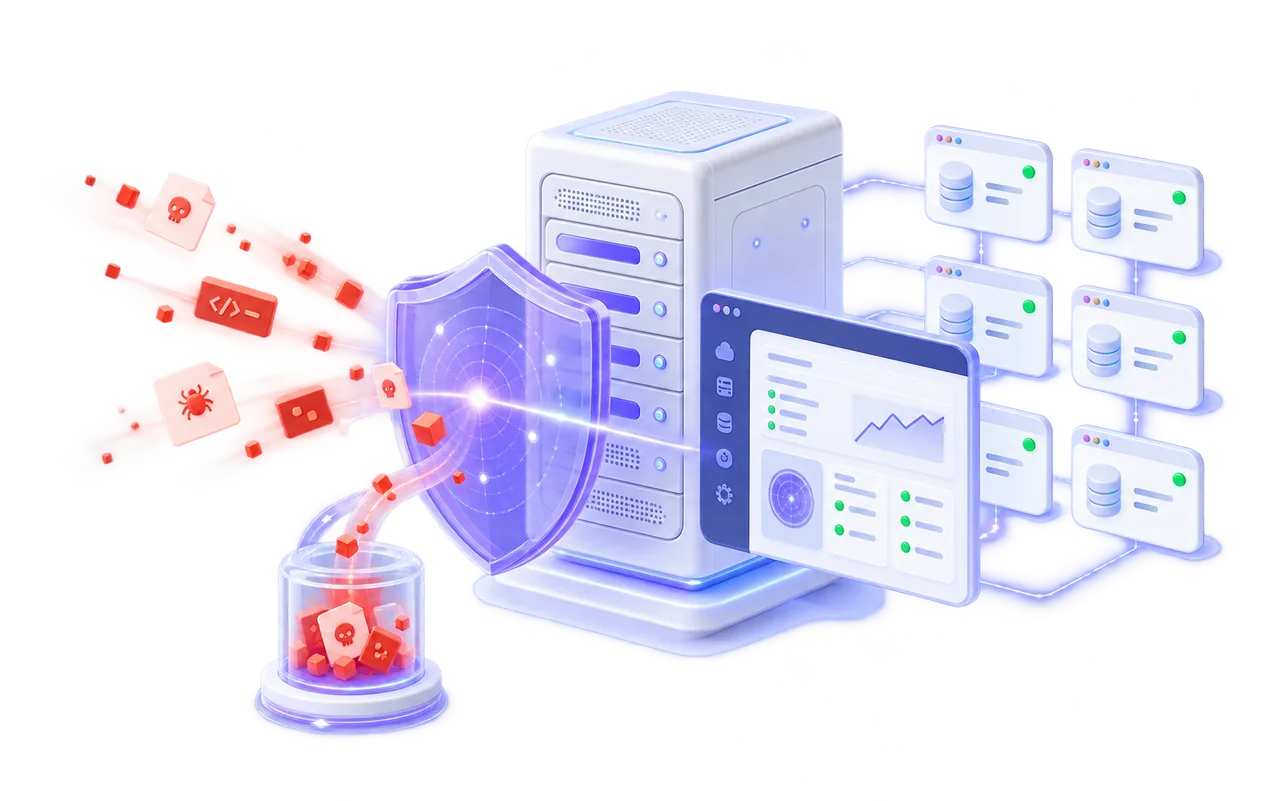
Scan websites for malware, backdoors and hidden Web shells. Watch new files in real time. Stop dangerous PHP execution with Live Defense, then trace the request to the affected account and patch the weakness that let it in.
✓ One WHM security view✓ Account-aware findings✓ No silent file deletion
cPanel server malware protection
One compromised account should not become a server-wide investigation.
On a shared cPanel server, hundreds of websites can sit behind one operating system. A vulnerable plugin on one account may create malicious files, consume PHP workers, send commands or become a launch point for attacks on other services. The administrator needs to find the affected account quickly without treating every customer as part of the same incident.
BashSecure organizes detections around the cPanel account, domain, file and request. WHM provides the fleet view. Each finding keeps the ownership and site context required to investigate it, while unrelated accounts stay separate.
The product starts safely. Malware scanning reports what it finds, real-time monitoring observes new files and Live Defense can begin in Log mode. Quarantine, request termination and response actions remain under operator control.
Built for WHM administration
See server risk without losing the account behind it.
A WHM security view should answer three questions quickly: what happened, which account is affected and what can be done safely next.
BASHSECUREcPanel server protection
Monitoring activeOverviewFindingsAccountsLive DefenseVulnerability PatchingQuarantine
ACCOUNT / DOMAINWHAT WAS OBSERVEDSOURCEOUTCOME
store.exampleaccount: shopdemo
Executable content in image file/public_html/uploads/banner.jpg
203.0.113.24Documentation address
Quarantinedportal.exampleaccount: portaldemo
Command execution attempt/public/index.php
198.51.100.18Documentation address
Stopped liveInterface preview. Domains, accounts and addresses are fictional examples.
cPanel malware scanner
Scan the complete account, including files that pretend to be harmless.
BashSecure examines PHP, JavaScript, HTML and other Web content for known malware, backdoors and Web shells. It does not trust an extension by itself. A PHP payload saved as an image can still be recognized by what the file contains. Teams searching for a cPanel virus scanner get content-aware website inspection rather than a filename-only check.
Incremental checks for daily protection
Focus routine scans on files that changed instead of rereading an unchanged server every time.
Scheduled full-account sweeps
Review every intended path in a controlled scan window and keep the completion state visible.
Account and domain context
Connect each path to its cPanel owner and hosted site so remediation reaches the right customer environment.
Honest completion reporting
A cancelled, inaccessible or interrupted scan remains incomplete. It is not presented as a clean result.
Live Defense for PHP
Stop the hostile request while the vulnerable site is still running.
A file scan finds evidence on disk. Live Defense watches PHP execution and can stop selected dangerous behavior before the request launches a shell command, runs injected code or creates another persistence route.
HOSTILE WEB REQUESTA vulnerable application begins dangerous PHP behavior
→BASHSECUREInspect · attribute · stop Source and account recorded
→CPANEL ACCOUNTThe request ends before further server changes
Protection available
Leave runtime inspection inactive for an account that is not ready.
Observe real behavior
Record what would be stopped without changing the customer request.
End the dangerous action
Abort selected hostile runtime behavior and keep the evidence for review.
From detection to response
Keep cleanup reversible and the next action explainable.
Safe cPanel malware removal starts with evidence. BashSecure does not turn every alert into an automatic file change. Administrators can confirm the finding, isolate a file, scan the affected account and enable integrated responses where the policy supports them.
Attack attribution
Connect a live event to the source address, URL, PHP script, cPanel account and hosted domain that produced it.
Reversible quarantine
Move a confirmed file out of reach without deleting it, while preserving its original path, owner and permissions for restoration.
Affected-account scan
Queue a focused review of the account after live activity suggests that an attacker may have written additional files.
Source response
Optionally challenge or block the attacking address through the companion firewall integration.
Ignore management
Trust an exact file or checksum per account or across the server when the administrator confirms a false positive.
Patch review flag
Move from the cleaned symptom to the vulnerable component that needs an official update or manual investigation.
cPanel vulnerability scannerExact affected accountMove from a server-wide list to the domain and plugin path that need action. Official source onlyDo not install a replacement from an unknown archive or unverified mirror. Backup before changePreserve the current copy before the official release replaces it. Rollback per pluginRestore one update if site behavior changes without reversing unrelated patches.
Find the exposed WordPress plugin and patch it without guessing.
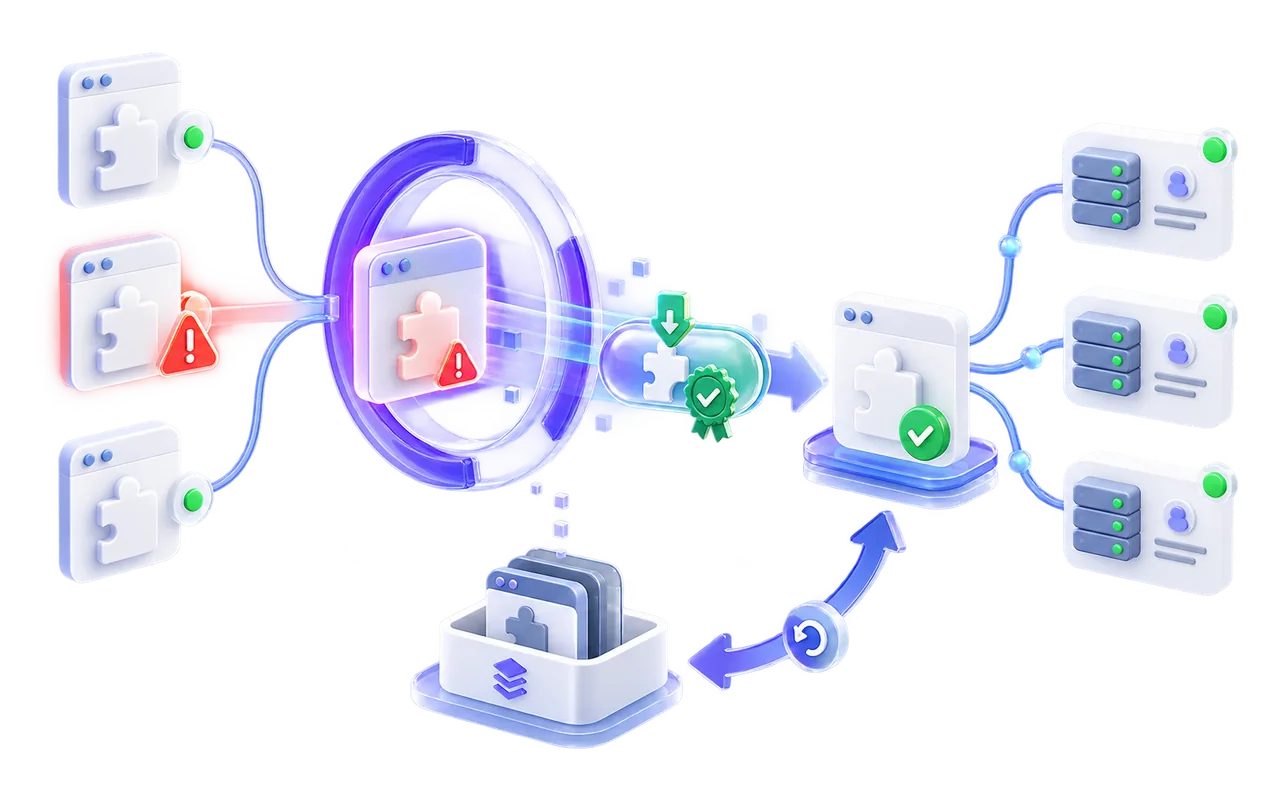
Vulnerability scanning is separate from malware detection. BashSecure inventories supported WordPress plugins, compares the installed version with published security information and shows which cPanel account is affected. A known vulnerable version is a patching task, not proof that the site is infected.
When an official update is supported, the current plugin is saved first. BashSecure obtains the recognized release, verifies published checksums before and after installation and keeps individual rollback available. Customized or unverified software is reported for manual review rather than overwritten.
VULNERABILITY PATCHINGNeeds review
Official fix availablecatalog-blocksinstalled 3.1.0
store.exampleaccount: shopdemo
Known vulnerabilityFile upload
Patch to 3.1.4Fictional software, account and domain shown for demonstration.
WordPress core integrity
Report changed core files without calling every difference malware.
BashSecure compares WordPress core files with the official release and presents modifications separately from malware findings. A changed file may be a backdoor, but it may also reflect version skew or a deliberate customization. The administrator sees the evidence before choosing an official restore.
Official comparison
Identify missing or modified core files against the relevant WordPress release.
Integrity evidence, not a malware verdictOptional restore
Replace a confirmed modified core file from the official source when the operator approves it.
Controlled file changeClear account scope
Show the affected domain, cPanel owner and application root with the integrity result.
Right evidence, right accountThe right control point
Server-wide decisions belong in WHM. Customer visibility stays private.
Hosting administrators need complete server context. Account owners should only see findings and actions for their own files and domains.
WHM
Administrator control
Review server coverage, findings, scan completion, Live Defense events, vulnerable software and quarantine across every account.
- Server and account filters
- Fleet policy and exceptions
- Complete activity history
- Response and rollback control
cP
Private account visibility
Give a customer access to the findings and recovery actions for their account without exposing another user's files, domains or events.
- Own domains only
- Clear file explanations
- Approved self-service actions
- No cross-account data
Shared hosting performance
Scan hundreds of accounts without turning security into the noisy neighbour.
A cPanel server is already balancing websites, PHP workers, MySQL, mail, backups and control-panel tasks. BashSecure uses incremental scans for changed files, supports idle I/O priority and can throttle under load so routine protection does not compete unnecessarily with customer traffic.
Full sweeps remain scheduled and operator controlled. Account-aware scanning also makes it possible to investigate one affected customer without repeatedly scanning every unrelated site.
SCAN PROFILEcPanel shared hostingActive
A safer production rollout
Build a baseline before activating enforcement.
Start with server visibility, verify real findings and then enable selected actions by policy or account.
Install in WHM
Add BashSecure to the cPanel server and discover its hosting accounts.
Complete the first scan
Establish file and integrity status without changing customer content.
Observe Live Defense
Review real PHP events in Log mode before stopping requests.
Enable chosen actions
Turn on Kill, quarantine, patching or source response where approved.
BashSecure plans
Licensing for one server or a hosting fleet.
Every plan runs the same malware scanning and Live Defense runtime protection. Pick a plan by how many hosting accounts you need to cover.
Basic
Up to 10 hosting accounts
$12per month
Get BashSecure
- Malware scanning across every hosted account
- Live Defense runtime protection (Off, Log or Kill)
- Reversible quarantine
- Attack source, request and script attribution
- Up to 10 hosting accounts
- Unlimited domains
Most popular
Premium
Unlimited hosting accounts
$23per month
Get BashSecure
- Everything in Basic
- Vulnerability Patching for WordPress plugins
- Core file integrity monitoring
- Unlimited hosting accounts
- Unlimited domains
Price per server, per month, excluding VAT. Cancel anytime. Talk to us.
cPanel malware scanner questions
What to know before adding BashSecure to WHM.
What is a cPanel malware scanner?
A cPanel malware scanner checks files owned by hosting accounts for malicious code, backdoors and Web shells. BashSecure adds account context, real-time file monitoring, PHP Live Defense, reversible quarantine and vulnerability patching to the scanning workflow.
Does BashSecure scan every cPanel account?
It is designed to provide server-wide coverage from WHM while preserving the ownership and domain context of each account. Operators can review coverage and scan state across the server and apply account-specific policies where needed.
Is BashSecure also a WHM malware scanner?
Yes. Server administrators work from the WHM-level view to review accounts, findings, Live Defense activity, integrity, vulnerable plugins, quarantine and history across the server.
Can it detect malware hidden in an image file?
Yes. BashSecure examines file content rather than trusting the extension alone, so suspicious executable content can still be identified when a file is given a harmless-looking image suffix.
Will BashSecure delete customer files automatically?
No. Detection is the safe default, and files are not silently deleted. A confirmed malicious file can be moved into reversible quarantine with the information required to restore its path, owner and permissions.
How does Live Defense protect a cPanel site?
Live Defense observes PHP while a request is executing. It can begin in Log mode and record the source, URL, script and cPanel account. When the operator enables Kill for selected behavior, the hostile request can be stopped before it completes the dangerous action.
What does the cPanel vulnerability scanner check?
BashSecure identifies supported installed WordPress plugins and compares their versions with published vulnerability information. It distinguishes affected, unaffected, unknown and unsupported states rather than presenting an uncertain result as safe.
Are plugin patches reversible?
Yes, when BashSecure supports the official update. It saves the current plugin first, verifies the official package with published checksums and keeps rollback available for that individual plugin.
Does a vulnerability finding mean the site has malware?
No. A vulnerable installed version represents exposure that should be reviewed or patched. It is kept separate from a malware finding because vulnerable software is not proof of an active infection.
Is it suitable for shared cPanel hosting?
Yes. BashSecure supports incremental scans, idle I/O priority, load-aware throttling and account-scoped investigation so protection can operate alongside many hosted customers.
BASHSECURE FOR CPANEL
Find malware across the server. Stop active attacks. Patch the vulnerable account.
Bring scanning, runtime protection, attribution, quarantine and vulnerability patching into one WHM security workflow.