
BashSecureFOR UBUNTU SERVERS
Ubuntu malware protection that keeps websites clean.
Scan websites, stop dangerous PHP and find vulnerable CMS components from one Ubuntu server view.
✓ Scan every Web root✓ Observe before blocking✓ Keep recovery reversible
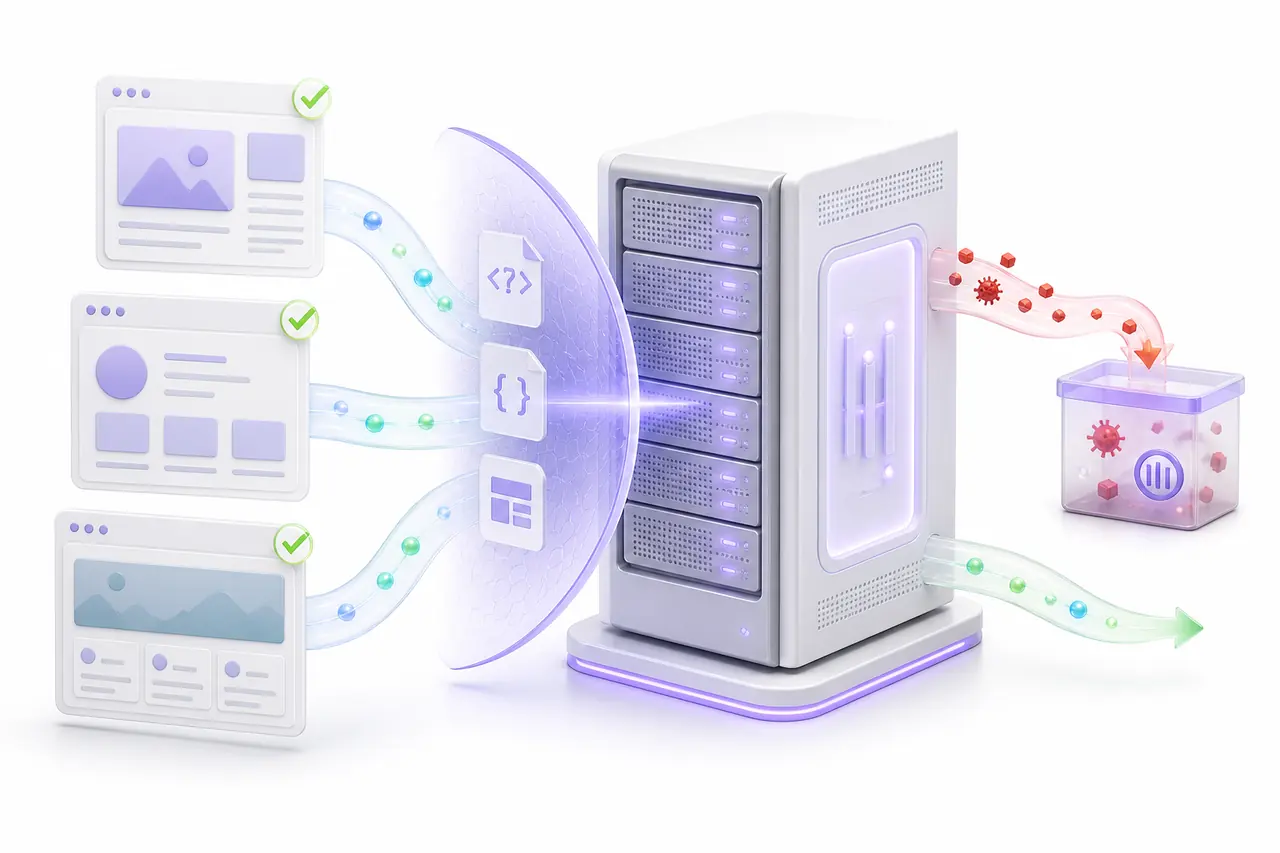
Ubuntu server malware protection
A clean package list does not mean every hosted application is clean.
Ubuntu keeps the operating system dependable, but most compromises on a Web server happen inside application code, uploaded files, abandoned plugins and writable directories. A conventional package update cannot tell you that an image contains executable PHP or that a request is using an existing script to start a shell.
BashSecure inspects the application layer that sits above the operating system. It discovers Web roots, reads the content of website files, watches changes and links dangerous runtime behavior to the virtual host and script involved. The result is an Ubuntu malware scanner built for the way production Web servers actually fail.
Detection and response remain separate. The first scan records evidence without silently deleting a customer file. Live Defense can run in Log mode before Kill mode is enabled. A confirmed threat can move into quarantine with its original path, owner and permissions retained for controlled restoration.
Protection across the Ubuntu Web stack
Follow a suspicious request from the network edge to the code it tries to execute.
BashSecure adds application evidence to the server signals an administrator already uses, without pretending that a network port rule can inspect PHP behavior.
HTTP TRAFFICVisitors, automation and hostile requests
→BASHSECUREInspect · attribute · contain Dangerous behavior stops here
→HOSTED SITESHealthy applications keep serving visitors
One server security view
See what was scanned, what changed and what needs a decision.
The overview separates completed work from incomplete coverage so a failed read or interrupted scan cannot be mistaken for a clean result.
BASHSECUREUbuntu protection overview
Agent reportingOverviewFindingsSitesLive DefenseIntegrityPatchingQuarantine
SITEFINDINGEVIDENCESTATE
store.example/srv/www/store/public
Executable content in media file/uploads/catalog/banner.jpg
Content signature matchedQuarantinedportal.example/var/www/portal
Unexpected process start/public/index.php
Runtime event retainedObserveddocs.example/srv/www/docs/current
Unreadable application pathPermission denied during scan
Coverage is not completeReviewInterface preview. Domains and paths are fictional examples.
Ubuntu malware scanner
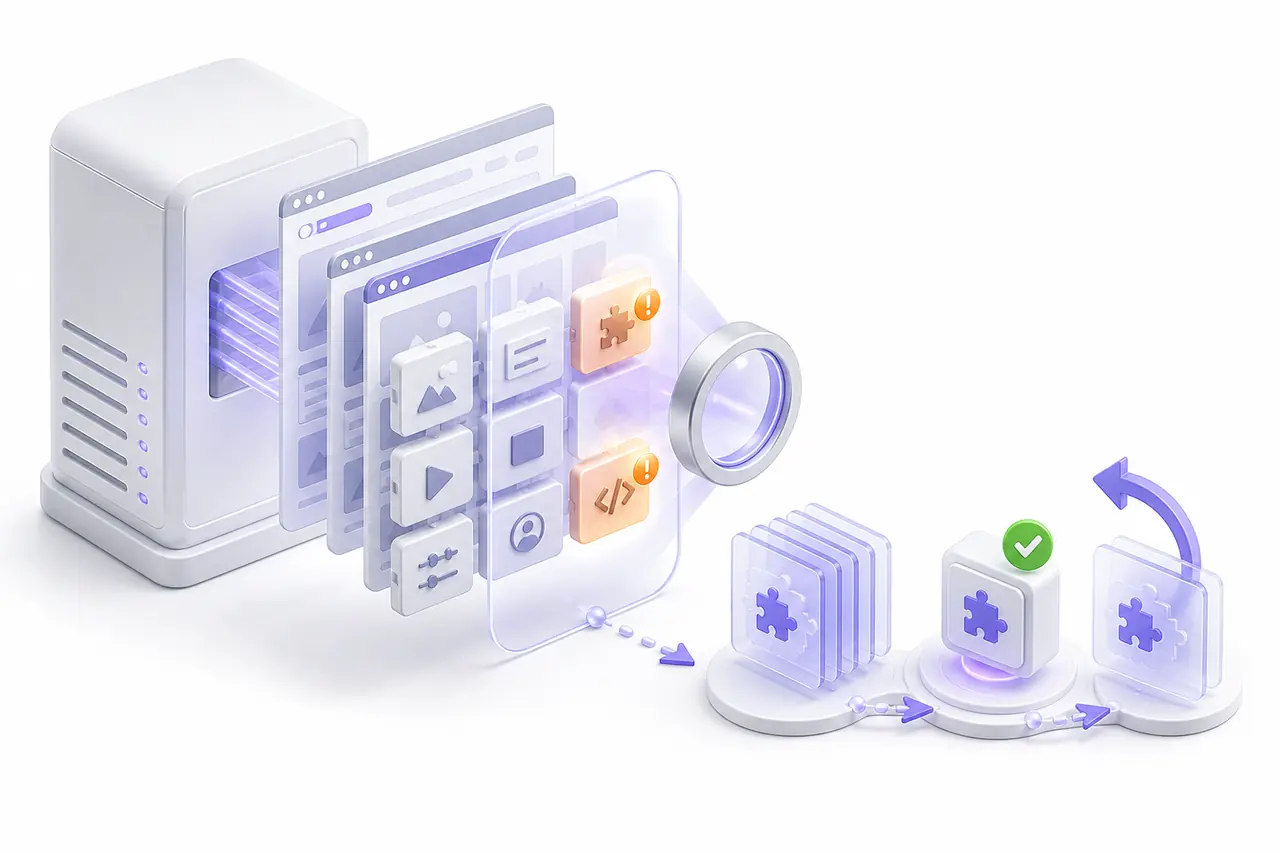
Inspect what a file contains, not what its name claims.
Attackers regularly hide executable payloads behind ordinary extensions, insert small loaders into legitimate application files or leave encoded commands inside writable directories. BashSecure examines PHP, JavaScript, HTML and related website content instead of trusting the suffix alone.
Baseline full scan
Review each configured Web root and record a clear completed, incomplete or failed state for the intended scope.
Incremental daily checks
Focus routine work on new and changed content instead of reading millions of unchanged files on every cycle.
Real-time file monitoring
Record important filesystem changes as they occur so a new payload does not have to wait for the next scheduled sweep.
Content-aware inspection
Detect suspicious code in misleading file types and retain the precise path and evidence an administrator needs to investigate.
Live Defense for PHP
Stop the dangerous action while it is happening.
A malware scan finds code that already exists on disk. Live Defense observes selected PHP behavior during the request itself. It can connect a dangerous operation to the source address, URL, virtual host, script and Web root responsible.
Installed, not active
Keep runtime inspection disabled while preparing the server or a selected site policy.
Observe real workloads
Collect evidence without terminating requests, then review legitimate application behavior before enforcement.
Stop reviewed behavior
Abort a confirmed dangerous action and preserve the event for investigation and follow-up scanning.
Controlled malware removal
Contain a confirmed threat without erasing the recovery path.
An irreversible cleanup can destroy evidence, break an application and make a false positive harder to correct. BashSecure keeps the operator in control of every response.
Reversible quarantine
Move a confirmed malicious file outside its Web root while preserving its original path, owner, group, mode and recovery record.
Focused follow-up scan
Inspect the affected site after a runtime event indicates that more files may have been written or modified.
Exact trust controls
Trust a reviewed file or checksum at a narrow scope without disabling inspection for unrelated applications.
Incomplete remains incomplete
Expose permission errors, timeouts and unreadable paths instead of turning missing coverage into a clean badge.
Operator history
Keep quarantine, restore, patch and policy changes visible so another administrator can reconstruct the response.
Source blocking handoff
Use attributed request evidence to support a separate network control without confusing file detection with firewall policy.
Ubuntu vulnerability scanner for CMS software✓Exposure is not infectionA vulnerable version is reported without claiming that compromise already occurred. ✓Official release requiredUnknown archives and unofficial mirrors are not substituted for the installed software. ✓Current copy saved firstRecovery remains available before a supported component is replaced. ✓Unknown stays unknownUncovered or unrecognized software is not given a misleading safe result.
Find the exposed component that keeps reopening the site.
Malware removal addresses evidence of compromise. Vulnerability scanning addresses the software exposure that may have allowed it. BashSecure inventories detected CMS installations and separates installed version, exposure state and malware evidence instead of treating them as the same problem.
For supported WordPress plugins, BashSecure compares installed versions with published vulnerability information. When a recognized official update is available, the current plugin is saved first, the official release is downloaded, its published checksum is verified and the result is checked. Individual rollback remains available if the application behaves differently.
VULNERABILITY REVIEWCMS components across Web roots
Inventory currentAPPLICATION ROOT/srv/www/store/currentstore.example · fictional domain
catalog-blocksinstalled 2.8.1
Known vulnerabilityInput validation
Update 2.8.5Fictional software and domain shown for demonstration.
CMS core integrity
Compare core files without calling every difference malware.
A modified core file may be malicious, locally customized or left behind by an incomplete update. BashSecure reports integrity changes separately and lets the administrator inspect the evidence before choosing a restore.
WordPress comparison
Identify missing and modified core files against the recognized official release for the installed version.
Version-aware evidenceJoomla and Drupal checks
Review supported CMS core differences across separate Ubuntu application roots without mixing unrelated sites.
Multiple CMS familiesControlled official restore
Replace a confirmed modified core file only after the version and source have been reviewed.
Deliberate remediationBuilt for real Ubuntu layouts
Protect sites even when their Web roots do not follow one control-panel convention.
Ubuntu servers vary. Applications may live under /var/www, /srv/www, release directories, containers or custom deployment paths. BashSecure maps explicit application roots and ownership instead of assuming that every server has a hosting panel.
Discover deliberately
Start from configured virtual hosts and approved roots. Exclude caches, backups and deployment artifacts that should not be treated as active website code.
Keep sites separate
Associate findings with the correct virtual host and path so an incident on one application does not become an unstructured server-wide list.
Respect ownership
Retain file ownership and mode during quarantine and recovery, reducing the risk that a security action causes a new service failure.
Follow releases safely
Scan the active release and changed content while keeping deployment history and inactive trees outside routine work where appropriate.
Predictable server load
Security should not become the busiest process on the Ubuntu server.
Production servers already balance Web workers, databases, backups and scheduled jobs. BashSecure reduces repeat work with incremental scanning, supports idle I/O priority and can throttle when load rises.
Full scans remain scheduled and operator controlled. A live event can trigger a focused review of the affected application root instead of immediately reading every hosted file again. Completion status stays visible if a scan is paused or interrupted.
SCAN PROFILEUbuntu Web serverActive
Controlled rollout
Build a baseline before changing production behavior.
Move from visibility to enforcement in measured steps, using evidence from the server rather than a generic preset.
Map application roots
Define the active sites and complete an initial scan without changing files.
Confirm early findings
Separate malware evidence, integrity differences and vulnerable software.
Run Live Defense in Log
Learn legitimate PHP behavior and refine policy before requests are stopped.
Enable chosen responses
Use Kill mode, quarantine and supported patching only where reviewed evidence supports the change.
BashSecure plans
Licensing for one server or a hosting fleet.
Every plan runs the same malware scanning and Live Defense runtime protection. Pick a plan by how many hosting accounts you need to cover.
Basic
Up to 10 hosting accounts
$12per month
Get BashSecure
- Malware scanning across every hosted account
- Live Defense runtime protection (Off, Log or Kill)
- Reversible quarantine
- Attack source, request and script attribution
- Up to 10 hosting accounts
- Unlimited domains
Most popular
Premium
Unlimited hosting accounts
$23per month
Get BashSecure
- Everything in Basic
- Vulnerability Patching for WordPress plugins
- Core file integrity monitoring
- Unlimited hosting accounts
- Unlimited domains
Price per server, per month, excluding VAT. Cancel anytime. Talk to us.
Ubuntu malware protection questions
What to know before protecting a production server.
What does the BashSecure Ubuntu malware scanner inspect?
It examines website content such as PHP, JavaScript, HTML and related files across configured application roots. It checks content rather than trusting the extension, records incomplete coverage and associates findings with the correct virtual host and path.
Is BashSecure an Ubuntu antivirus replacement?
BashSecure is focused on hosted websites, CMS code, PHP runtime behavior and application recovery. It complements operating-system updates and network controls rather than replacing the broader security practices required for an Ubuntu server.
What is Live Defense?
Live Defense observes selected dangerous PHP behavior while a request is running. Log mode records evidence without stopping the request. Kill mode can abort reviewed hostile behavior and preserve the source, URL, script and virtual-host context.
Does BashSecure delete infected files automatically?
No. Detection is the safe default. A confirmed threat can be moved into reversible quarantine with its original path, owner, group and permissions retained so the administrator has a controlled recovery option.
Can BashSecure scan WordPress websites on Ubuntu?
Yes. It can scan WordPress files for malware, compare recognized core files with an official release and inventory supported plugins for published vulnerability exposure. Malware, integrity and vulnerability findings remain separate.
Does the vulnerability scanner prove a site was hacked?
No. A vulnerable component represents exposure, not proof of compromise. BashSecure reports the installed version and known issue separately from malware evidence so the administrator can make an accurate decision.
Can BashSecure patch vulnerable WordPress plugins?
For supported plugins with a recognized official update, BashSecure can save the installed copy, obtain the official release, verify its published checksum, install it and retain individual rollback. Unknown or unsupported packages are not guessed at.
Does it support nginx and Apache on Ubuntu?
Yes. BashSecure is designed for Ubuntu Web servers using nginx, Apache or a common proxy and application-server combination. The configured virtual hosts and application roots determine the protection scope.
What happens if a scan cannot read every file?
The result remains incomplete and the reason is shown. BashSecure does not label an application clean when permissions, a timeout or another interruption prevented the intended scope from being checked.
Will scanning overload a busy Ubuntu server?
BashSecure reduces routine work with changed-file checks, supports idle I/O priority and can throttle as load rises. Complete sweeps are scheduled by the administrator, and interrupted work keeps an honest completion state.
BASHSECURE FOR UBUNTU
Find malicious code. Stop dangerous PHP. Close the exposed CMS component.
Bring malware scanning, Live Defense, vulnerability visibility and reversible response into one Ubuntu server security workflow.